PlayTube: Video, Music Player
- 4.7
- Rating
- 100.00K
- Installs
- Free
- Price

 Analysis by App-foxy
I approached PlayTube: Video, Music Player as a practical media app rather than judging it only by its promise of bringing video and music together. It belongs to the Video Players & Editors category, comes from XS SOFTWARE, and is free to install. The basic appeal is easy to understand: instead of moving between separate video and music tools, you get one place for everyday playback. In my experience, that can be convenient, but only when the initial setup and playback habits match what the app expects.
The app has a 4.7 average from around 7.6 thousand ratings, with more than 100 thousand installs. Those figures suggest that it has found an audience, although they do not remove the need to test it against your own routine. I would especially consider it if you want a straightforward way to watch videos and listen to music on a phone running Android 8.0 or later, rather than a full editing suite or a replacement for every specialized media service.
Where the everyday experience can get stuck
The first point worth understanding is that a combined video and music player is only useful when its content is easy to reach. A store summary can make the experience sound immediate, but real use often depends on what you are trying to play, where it comes from, and how your phone handles media access. If you open the app expecting every video or track on the device to appear instantly, a sparse library can feel like a fault even when the issue is simply that the content has not been recognized yet.
You May Also Like

 Blood Strike: 2.5 Anniversary
Blood Strike’s Loadouts Turn Every Drop Into a Tactical Gamble
A close look at Blood Strike’s custom loadouts: how fast access to signature weapons reshapes its battle royale rhythm, rewards preparation, and narrows the gap between fights.

 Pandora - Music & Podcasts
Pandora’s Music Is Easy to Start, but Harder to Recover
Pandora’s strength is its low-effort path from a seed to a station. Its weak spot is how much confidence it asks you to place in connection, setup, and quiet recovery.

 8 Ball Pool
 Is Built on Rivalries, Rematches, and Routine
A close look at the rivalries, rematches, shared routines, and unanswered safety questions that turn a quick pool match into a persistent mobile community.

 Samsung Music
’s Quiet Strength Is Playing What You Already Own
Its reach comes less from spectacle than from dependable access to a personal library. That simplicity is both the app’s strongest retention engine and its ceiling.

 AccuWeather: Weather Radar
AccuWeather Review: A Quick, Clear Forecast for Everyday Decisions
For everyday plans, the best forecast is the one you can understand quickly. AccuWeather makes rain timing, radar, and local conditions easy to act on, with a few trade-offs.

 Hill Climb Racing
Why Hill Climb Racing Still Turns Crashes Into One More Run
A tiny car, a bumpy hill and one more upgrade: Hill Climb Racing keeps resurfacing because its simple chaos makes every near-miss feel personal.
More From Our News Desk
View All News


I would begin by treating the home screen as a starting point, not as proof that something is broken. Give the app a moment to present its available media, then check whether the particular file or source you want is visible. A downloaded video may be stored in a folder that is not obvious, while music can be scattered between camera files, messaging downloads, and dedicated download folders. Keeping those files in a predictable location makes the first experience much less confusing.
Another common sticking point is confusing playback trouble with content trouble. If one item refuses to start while another plays normally, the problem may belong to that individual file rather than the player. An incomplete download, an unusual encoding, or a damaged file can produce the same frustration as an app malfunction. My practical test is simple: try a second, known-good item before changing settings or reinstalling anything. That small check can save time and helps separate an isolated file problem from a wider playback issue.
There is also a difference between watching a video and listening to music continuously. Video playback places more demand on the phone and the connection when online content is involved, while music sessions are often more sensitive to interruptions from other apps, battery controls, or a weak connection. I would not judge the app from a single short clip if my real plan is to use it for longer listening sessions. Test it with the kind of content you actually use, at the time and place where you normally use it.
What I check before blaming the player
My first setup check is the Android version. The current version of the app is 9.5, and the minimum operating system is Android 8.0. That makes compatibility straightforward for many devices, but older phones still deserve a little caution. Even when an app installs successfully, available storage, memory pressure, and the age of the device can affect how smoothly video playback feels. I would close demanding background apps before deciding that the player itself is unreliable.
Next, I check the basics around the content. Is the file fully downloaded? Does it play elsewhere? Is the device connected if the intended source needs an internet connection? These questions sound obvious, but they are particularly useful with an app that brings video and music into one interface. A title that looks available may still depend on a connection, while a local file should usually be assessed separately from online playback.
I also prefer to start with a small, familiar test. Rather than loading a long playlist or trying several sources at once, I choose one video and one music item that I already know work on the phone. This gives me a clean reference for sound, picture, and basic controls. Once those behave normally, I add the rest of my library gradually. That workflow makes it easier to identify whether a particular folder, file, or source is creating the friction.
Storage is another practical check. Video files can occupy much more space than people expect, and a phone that is nearly full may behave unpredictably even if the app itself is installed correctly. I would leave comfortable free space before importing or downloading a large batch of media. If playback pauses, the device becomes unusually slow, or new content does not appear, checking storage is more useful than repeatedly tapping the same play button.
For anyone using mobile data, I would also test the app on the connection normally used for playback. A stable home network and a crowded mobile connection can produce very different results. If video stutters only in one location, move closer to the router or compare another network before changing the app. This is especially important because a player can display a smooth local file while an online stream struggles for reasons outside its control.
A calmer setup for video and music
I find that the cleanest approach is to organize content before expecting the app to become a daily hub. Put a few test items in an easy-to-find folder, confirm that they are complete, and then open the player. If everything works, add more content in groups. This is less exciting than immediately filling the library, but it gives you a clear recovery path if one item causes trouble.
It is also worth deciding what role you want the app to play. If you mainly watch occasional videos, a combined player can reduce app switching. If you mainly listen to music for hours, test how well it fits that uninterrupted routine instead of assuming the video side tells you everything. I would pay attention to whether returning to the app feels simple, whether the right item is easy to locate, and whether the phone remains comfortable to use during a longer session.
The free installation lowers the barrier to trying it, but in-app purchases range from $0.99 to $29.99 per item. I would therefore look carefully at any purchase prompt before confirming it and decide whether the free experience already covers my needs. The presence of optional purchases does not automatically make the app poor, but it does mean that I would avoid tapping through screens quickly, especially when setting it up for a child or a shared device.
The Everyone content rating makes the app broadly approachable, yet I would still use ordinary device-level care when handing a phone to someone else. A general age rating is not a substitute for checking what content is being opened, particularly when the app is being used as a doorway to a wide range of videos or music. My recommendation is to establish the intended use first, then let the interface serve that purpose rather than browsing without a plan.
Recovering a broken workflow without starting over
When something stops working, I prefer a staged recovery instead of immediately deleting the app. First, I stop playback and try another item. Then I check the connection or local file, depending on the source. After that, I close and reopen the app, making sure the phone is not overloaded with other tasks. These steps are ordinary, but they are also safe and reversible, which matters when the app is being used to access a carefully arranged media collection.
If only one file fails, I would leave the rest of the library alone and replace or re-download that item. If every item fails, I would look at the phone, connection, and available storage before assuming the entire installation is damaged. This distinction is one of the most useful habits with any media player: a single failure points toward content, while a complete failure points toward the environment or the app session.
When a library appears incomplete, I would avoid repeatedly moving files while the player is open. Instead, close the app, place a small number of confirmed media files in one easy-to-check location, and reopen it. If those files appear, add the remaining folders in stages. This gives you a practical map of what the app can see and prevents a large, messy library from hiding the real source of the problem.
For online playback, I would compare two networks if possible. A video that works on home Wi-Fi but not on mobile data tells me to investigate the connection or its restrictions. A video that fails everywhere deserves a closer look at the content or the app session. I would not keep retrying a stream for minutes while the connection is clearly unstable; switching temporarily to a known local item is a better way to confirm that the player is still responding.
Restarting the phone is also reasonable when playback becomes unusually slow or audio and video stop behaving normally. Mobile apps share system resources, and a long session with several demanding apps open can create symptoms that disappear after a clean restart. I would reserve reinstalling for the later stage, because removing an app can create extra setup work and may not fix a problem caused by a bad file, weak network, or limited storage.
One useful habit is to remember the last change made before the problem appeared. Did you add a new batch of downloads, move folders, switch networks, or begin using a different kind of media? Reversing one change at a time is more informative than changing several things together. It also makes it easier to return to a stable workflow once the cause becomes clear.
When the app is not the cause
Media playback sits at the intersection of the app, the phone, the file, and the network. That is why I would be cautious about calling a player unreliable after a single bad session. A low battery mode, crowded storage, weak signal, or damaged download can all look like an app issue. The most convincing test is a small comparison: the same phone, the same conditions, and a different known-good item.
There are cases where a different type of app is the better choice. If your priority is detailed audio management, advanced equalization, or a very specialized local music library, a dedicated music player may offer a more focused experience. If you need serious video editing, this app belongs to the playback side of the category, not to a professional editing workflow. And if your main interest is a particular streaming service, its official app may handle account features and service-specific playback more naturally.
That does not make PlayTube a weak option. Its value is in reducing the distance between two everyday activities: watching videos and listening to music. I can see it working well for someone who wants one familiar place for mixed media, keeps a modest local collection, or wants to test a combined player without paying upfront. The trade-off is that a general-purpose tool may feel less refined than a specialist app for a single task.
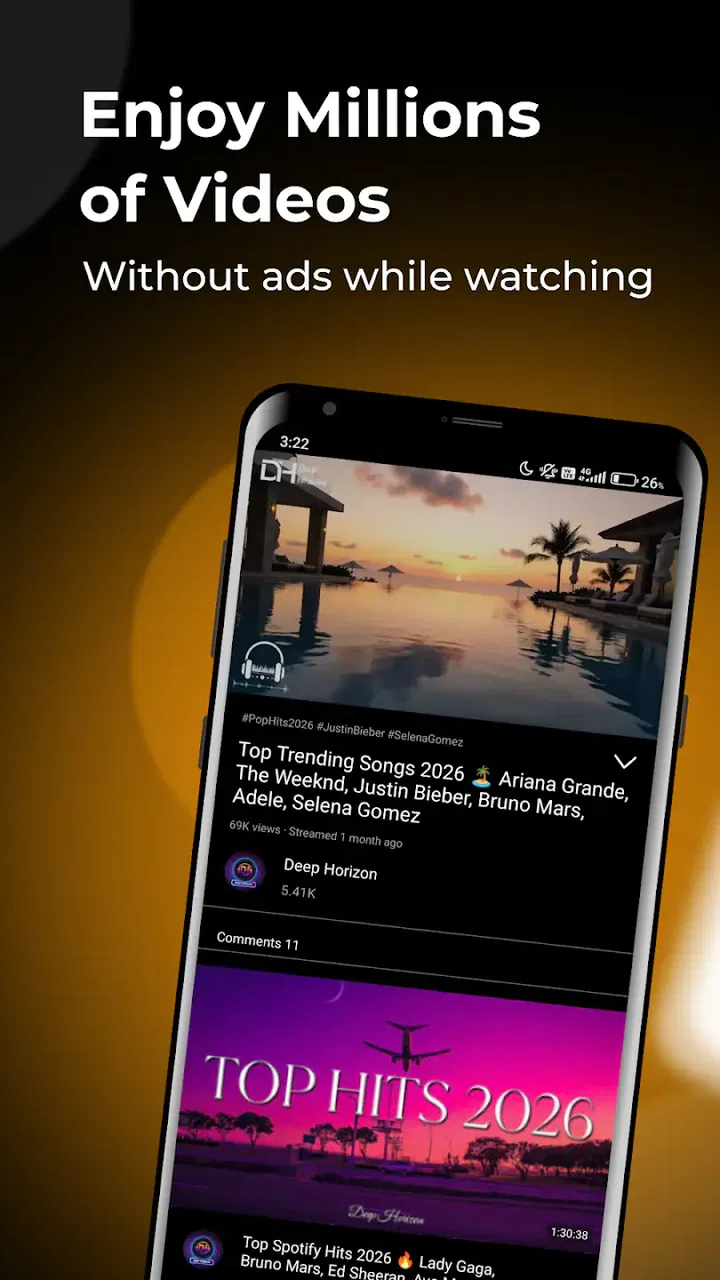
I would also be realistic about the phrase “millions of videos and music.” The practical experience depends on what content is available to you and how it is accessed. I would not choose the app solely because of a broad content promise. I would choose it if its actual playback routine suits me: the items I use are reachable, the controls feel comfortable, and the phone handles the session without unnecessary interruptions.
For a normal evening scenario, imagine that I have a few downloaded videos from the day and a music selection for cooking. I would first test one video and one track, confirm that both play, and then leave the app open as I move between them. If the video works but the music does not, I would inspect the music file or its location rather than throwing away the whole setup. If both fail only after switching to mobile data, I would investigate the connection. This method keeps the diagnosis practical and avoids treating every interruption as a software defect.
Who should try it, and who should skip it
I would recommend the app to people who want a free starting point for mixed video and music playback and who prefer not to maintain separate tools for every type of media. It is also a reasonable option for users with Android 8.0 or newer who are comfortable testing their own files and connection conditions. The Everyone rating makes it broadly accessible, while the current 9.5 version gives prospective users a clear version to look for when checking compatibility.
I would hesitate to recommend it to someone who needs a highly specialized professional workflow. Editors, serious audio listeners, and users tied closely to one streaming ecosystem may be happier with software built around those exact needs. I would also skip it if I wanted a player that I never have to think about: mixed media apps can be convenient, but the convenience depends on organized content and sensible troubleshooting.
The developer, XS SOFTWARE, has positioned the app in a space where simplicity matters more than an elaborate feature list. That is a strength when I want to open one app and get to ordinary playback quickly. It becomes a limitation when I expect deep customization or a tool designed around one narrow media format. Knowing that trade-off before installing it is more useful than assuming a high rating means it will suit every listener and viewer.
My final view is positive but measured. PlayTube: Video, Music Player is worth trying if your goal is a flexible, free media player for everyday video and music use. I like the idea of keeping those activities together, and the app’s strong average rating and growing install base make it a credible candidate rather than an obscure experiment. Still, I would set it up gradually, test local and online content separately, and keep the purchase screen in mind.
The practical verdict is simple: choose it for convenience, not for specialized control. If a known-good video and music track both play comfortably on your phone, the combined workflow can be genuinely useful. If your needs center on editing, advanced audio tools, or one specific streaming service, a dedicated alternative will probably be the better fit. For everyone in between, this is a sensible app to test carefully and keep if it makes daily playback easier.
FAQs for PlayTube: Video, Music Player
01What is PlayTube: Video, Music Player and how does it work?
PlayTube is a versatile multimedia application designed to enhance your video and music streaming experience on Android and iOS devices. It allows users to stream videos and music from various platforms, offering features like playlist creation, background play, and offline downloads for uninterrupted entertainment. The intuitive interface ensures seamless navigation and personalized content recommendations.
02Is PlayTube free to use, or does it require a subscription?
PlayTube offers a free version with essential features, supported by ads. For an ad-free experience and additional premium features like higher quality downloads and exclusive content, users can opt for a subscription. The subscription model is flexible, allowing monthly or yearly plans, catering to different user preferences and budgets.
03Can I download videos and music for offline use with PlayTube?
Yes, PlayTube provides the option to download videos and music for offline playback. This feature is especially helpful for users who want to enjoy content without an internet connection. The app allows you to select the quality of downloads, ensuring efficient use of device storage while maintaining playback quality.
04How does PlayTube handle data privacy and user security?
PlayTube is committed to user privacy and security, employing robust encryption methods to protect user data. The app adheres to strict privacy policies, ensuring that personal information is not shared with third parties without consent. Regular updates are provided to address any security vulnerabilities, offering a safe user experience.
05What are the device requirements for installing PlayTube?
PlayTube is compatible with a wide range of Android and iOS devices. For Android, it requires version 5.0 (Lollipop) or later, and for iOS, version 11.0 or later is needed. The app is optimized for performance on both smartphones and tablets, ensuring smooth playback and user-friendly navigation across all supported devices.
Pros
- Intuitive user interface
- easy to navigate.
- Supports background playback seamlessly.
- Customizable playlists for personal use.
- Offline mode for data-saving playback.
- Frequent updates enhance stability and features.
Cons
- Contains ads that can be intrusive.
- Occasional buffering issues with videos.
- Limited customization in free version.
- Some features locked behind paywall.
- Requires internet for initial setup.

PlayTube: Video, Music Player
Gallery